


01Capture
Capture It Any Way
Snap a photo, upload a PDF, or forward the email — invoices get in however your suppliers send them.
Photo · PDF · Email
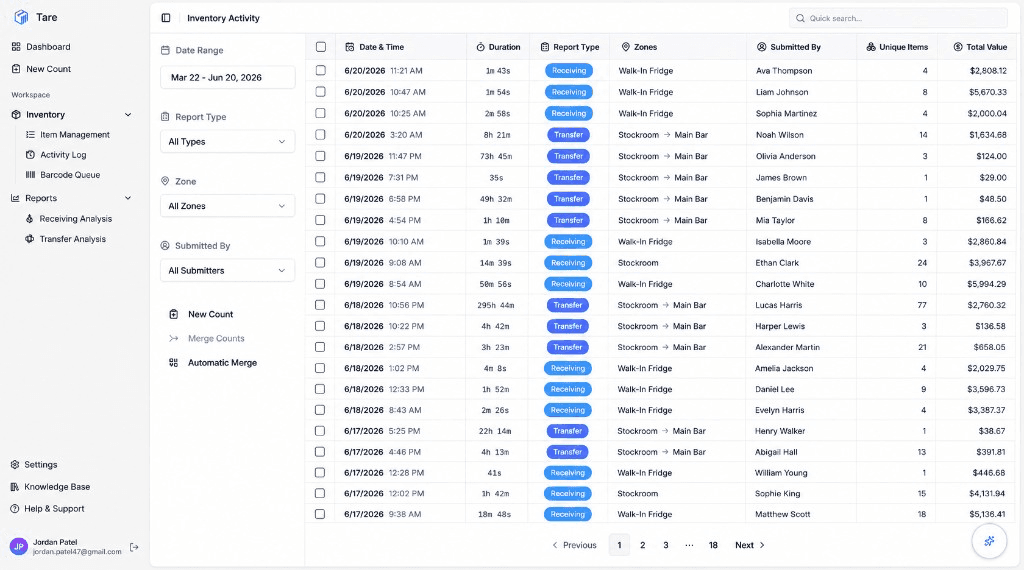
Stop closing the books at midnight with a clipboard. Tare turns inventory night into a quick walk-through — scan, weigh, or eyeball partials, and let the numbers roll up on their own.
Point your phone at any barcode — spirits, beer, wine, anything on the shelf — and Tare recognizes the product instantly. No handheld scanner, no typing, no lookups.
The camera locks onto a barcode the moment it comes into frame and pulls up the matching product right away.
Every phone becomes a scanner. Skip the dedicated handheld guns and the cost and breakage that come with them.
No barcode or label in sight? Search by item or brand name and add the product just as quickly — or create a custom barcode for items without one.
Scanning Tequila
Live in the app
On the scale
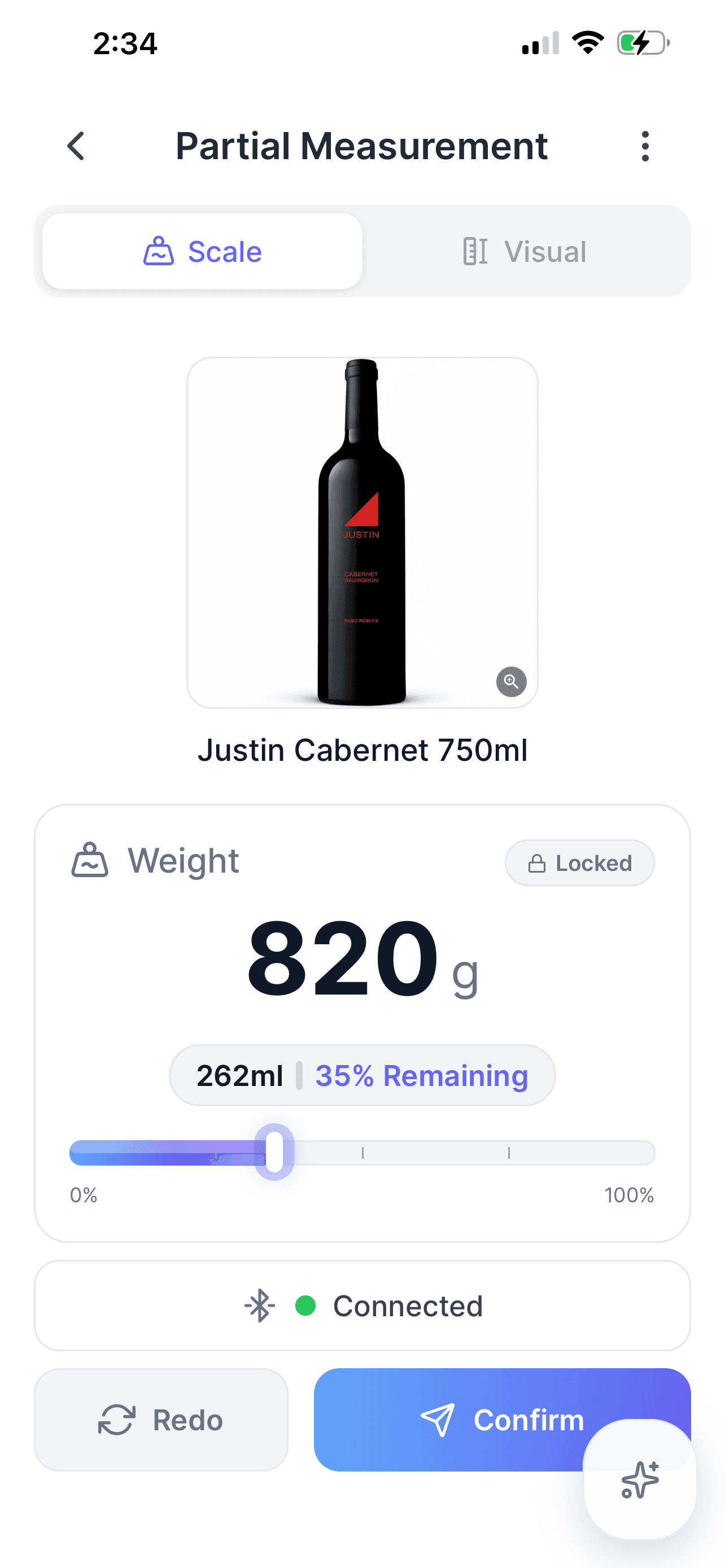
Set the bottle on the scale and Tare reads exactly what's left, accurate to the milliliter. The same number every time, with zero eyeballing and zero mental math.
Track partially used bottles and containers by weight for precise, repeatable counts.
Invoice workflow
However invoices reach your back door, Tare turns them into one organized, searchable, accounting-ready source of truth.
Snap a photo, upload a PDF, or forward the email — invoices get in however your suppliers send them.
Photo · PDF · Email
Every invoice is stored digitally and searchable by vendor, date, or item — no more filing cabinets.
Vendor · Date · Item
Line-item details sync to QuickBooks automatically, coded and ready for your bookkeeper.
Coded · Ready to post
From sudden price hikes to slow drifts, you see cost changes as they happen — not at the end of the month when the damage is done.
Items with the largest price increases (last 90 days)
| Item Name | Current Price | Change | % Change |
|---|---|---|---|
| Beef Tenderloin | $18.50 | +$4.20 | +29.4% |
| Heavy Cream | $4.80 | +$1.10 | +29.7% |
| Olive Oil Extra Virgin | $22.00 | +$3.50 | +18.9% |
| Chicken Breast | $3.25 | +$0.45 | +16.1% |
| Roma Tomatoes | $2.10 | +$0.28 | +15.4% |
Data integrity before analytics
A variance report is only useful when the counts feeding it are trustworthy. Tare checks entries while the work is happening, catching bad quantities, duplicate scans, case-size mistakes, unexplained products, and suspicious prices before they become false losses or misleading COGS.
Imagine a team member receives 16 cases but accidentally types 160. Instead of accepting the number and creating a massive artificial variance, Tare compares the entry with that item’s historical receiving range and pauses the submission for review.
The same entry can be checked against supplier packaging, expected pricing, and prior activity. Staff get the correction at the moment it matters, while managers keep control over whether an unusual but legitimate transaction should proceed.
Pre-submission check
Receiving count · Pacific Beverage
Espolòn Blanco 750 mL
6 bottles per supplier case
This quantity looks unusual
Receipts for this item are normally between 8 and 20 cases. Did you mean 16 cases?
Historical range
8–20 cases
Recent samples
10 receipts
Expected price
$28.40 each
Accuracy is protected before, during, and after the count so reports stay robust enough for purchasing, COGS, and variance decisions.
Recent receiving quantities establish a robust typical range. Only entries far from normal order sizes are held for review.
If an item is scanned twice in the same report, Tare directs the counter to the existing entry instead of silently double-counting it.
Physical counts cannot be finalized while discovered products remain outside the inventory catalog. Mystery stock has to be identified first.
Unusual prices are compared with expected and historical costs so supplier changes, invoice errors, and misplaced decimals surface immediately.
Organizations can require invoice images before receiving counts are submitted, preserving the evidence needed for reconciliation.
Restrict staff edits and deletions to the counts they submitted while managers and administrators retain oversight across the operation.
Keep the physical receiving count separate from the supplier invoice so short deliveries and fulfillment mistakes are not accepted as truth.
Trust the signal
Tare does not merely track discrepancies. It removes preventable data errors from the equation first, so the variance left behind points to real waste, over-portioning, theft, breakage, supplier issues, or process problems worth investigating.
See how fast a full count can be — and how quickly an invoice goes from photo to posted.